This feature is available in the following Studios:
1. Content Builder
Go to Email Studio
Under the Content Builder Emails tab, click on the email that needs to be sent
On the top-right, click on the 'Send' button
While configuring Step 2 (SELECT AUDIENCE), click on 'Advanced Exclusions' on the right-bottom to see the 'Exclusion Script' option.

2. Journey Builder
Go to the Journey
Click on the Email Activity and select the Email
Select the Delivery Options tab on the left to see the 'Exclusion Script' option.

3. Automation Studio
Option 1
Go to Automation Studio
Drag the 'Send Email' Activity into the workflow
Create a new Email Activity or select an existing one and select the email
While configuring Step 3 (SELECT AUDIENCE), click on 'Advanced Exclusions' on the right-bottom to see the 'Exclusion Script' option.

Option 2
Go to Email Studio
Hover over the Interactions tab and click User-Initiated Emails.
Click Create.
Enter the name and select an email
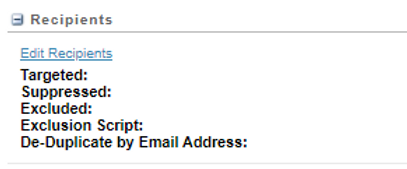
Under "Recipients," click Edit Recipients.
Select your recipient list.
Under "Audience Exclusion Script," click the plus sign (+) to expand the section
4. Triggered Sends
Go to Email Studio
Hover over the Interactions tab and click Triggered Sends.
Click Create.
Go to Exclusion Management | Exclusion Script.

Comments
Post a Comment